


Extract a T-12 and Rent Roll Into Your Underwriting Model
Extract OMs, rent rolls and T-12s into a cited review table. Reconcile reporting periods, preserve conflicting figures and approve inputs before modeling.

Extract a T-12 and Rent Roll Into Your Underwriting Model
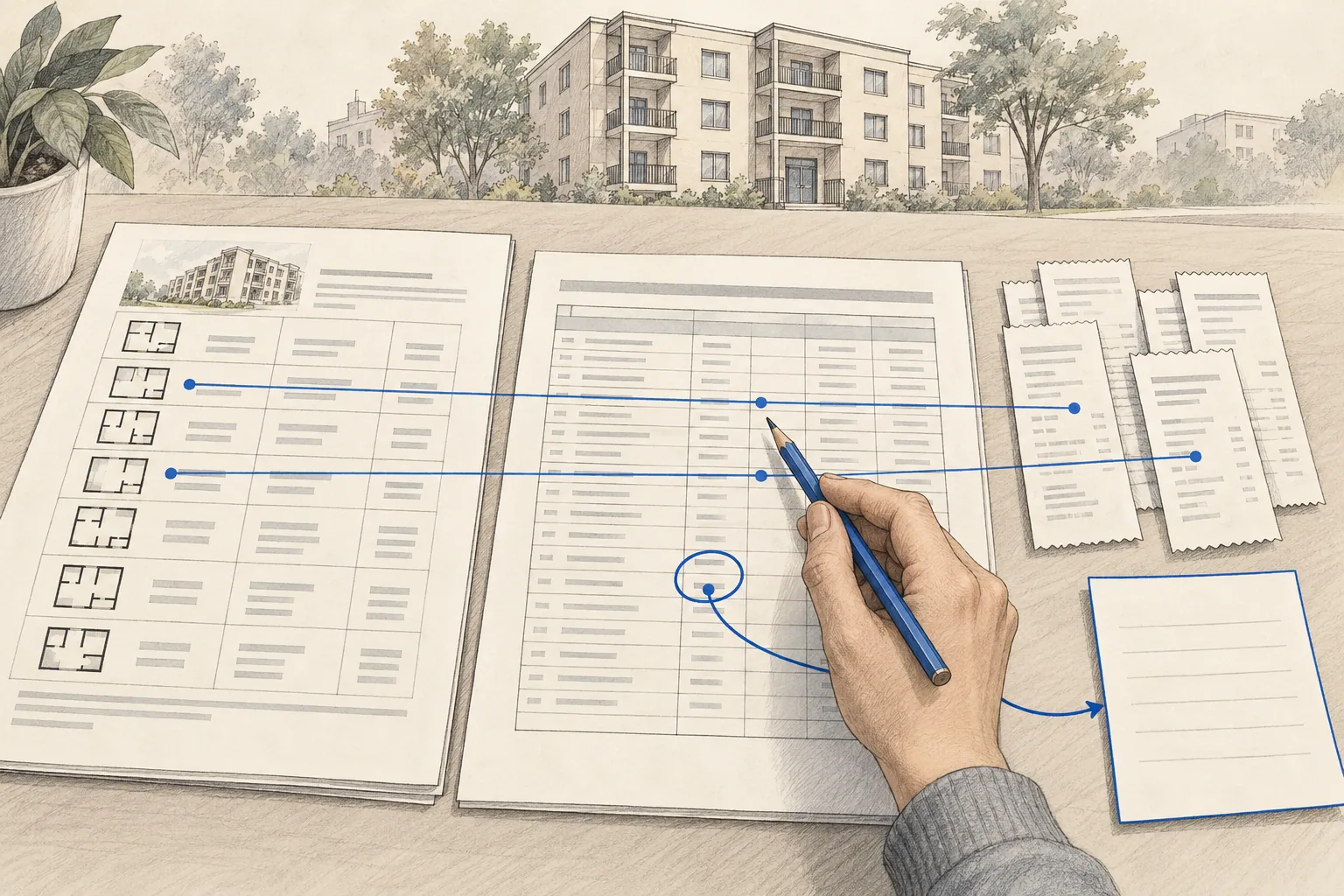
General AI assistants, CRE extraction platforms and configured review workflows can read OMs, rent rolls and T-12s. Extract into a review table with file, page and reporting period, reconcile the documents, and move only approved figures into the model.
Start with the document versions
Save the original files and identify the property, rent-roll as-of date, and T-12 beginning and ending months. An offering memorandum may contain projections or a summary from an earlier period. Record which source supports each value rather than silently choosing whichever number appears first.
Keep document status visible. A file can be received but unreadable, received for the wrong period, or superseded by a later version. Those require different next actions. Identify who can obtain the replacement before treating the package as ready for review.
Step 1: extract into a structured review record
Start with property fields such as address, unit or suite count, and area. Extract tenancy fields from the rent roll, including occupied status, stated rent, lease dates, and any disclosed concessions. Extract income and operating-expense lines from the T-12 with their signs, periods, and units intact.
Loan terms should come from the relevant loan documents or an identified lender proposal. Do not assume they exist in an operating statement. Market rent, future insurance, tax reassessment, exit cap, and growth assumptions belong in a separate assumption record.
| Field or value | What to retain | What to check |
|---|---|---|
| Monthly rent | Source file and row, unit or suite, occupied status | Monthly versus annual amount; actual rent versus asking rent. |
| Operating expense | Source account, sign, reporting period, and unit | An amount in thousands has not been treated as dollars; totals include the intended accounts. |
| Concessions | Source treatment and whether income is already net | The model does not deduct an amount already reflected in reported income. |
| Missing value | Unknown status, missing source, and assigned next action | An empty cell has not become zero or an undisclosed estimate. |
| Approved transfer | Destination sheet and input name, model version, reviewer | The value enters an input cell without replacing a formula. |
Step 2: check completeness and accuracy separately
A completeness check asks whether the expected fields and documents are present. Reconciliation asks whether the figures agree with the source and with one another. Both matter. A transposed rent can look reasonable and pass a missing-field check while changing the underwriting result.
- Reconcile the number of units or suites and identify duplicate records.
- Compare extracted rent totals with the source totals and investigate the difference rather than forcing a match.
- Confirm that the T-12 includes the expected reporting months and that annual totals have not been annualized again.
- Review the treatment of vacancy, concessions, bad debt, and other income.
- Check material income and expense lines against their actual source location, including populated fields with no warning.
- Record each correction and the review time so the pilot measures usable output.
Set acceptance checks with the analyst who uses the model. A source reference must open the right document and support the stated value. NIST's generative-AI profile describes how confident errors and unsupported citations can occur; a citation-shaped string is not evidence that the extraction passed.

Step 3: map approved fields into your model
Use a mapping record that names the extracted field, destination input, units, transformation, and model version. Transfer reviewed values into input cells while preserving formulas. Check the workbook's resulting totals after the transfer, not only the extraction table.
A mapping that worked on yesterday's template may fail after a row insertion or a changed account definition. Test it when the model changes and retain a copy of the pre-import workbook. Record which source figures were transferred and which values remain assumptions.
The multifamily underwriting walkthrough shows why historical NOI and a buyer-adjusted case should remain separate. An analyst can approve a different tax or insurance assumption without rewriting the historical record.
Step 4: resolve missing documents visibly
If the T-12 is absent, show that on the deal record with the required period, the person responsible for requesting it, and the next review date. Keep the dependent historical figures unknown. An analyst may choose to explore a scenario using explicit assumptions, but the scenario should not look like a completed historical extraction.
This distinction should survive exports, summaries, and memo drafting. A downstream user needs to see why a value is absent or estimated without reopening the entire email chain.
Test the asset type and the difficult documents
The sequence can be reused across multifamily, retail, and office, but the extraction rules and required sources change. Retail recoveries and percentage rent may require lease detail. Office analysis may depend on renewal options, tenant improvements, and free rent. A multifamily rent roll has its own unit-level definitions. Validate each configuration against reviewed examples.
Include a clean export, a difficult scan, conflicting dates, and a plausible wrong value in the pilot. Measure corrections and review effort before setting a savings target. The underwriting model-builder pack provides instruction files and illustrative workbooks for a controlled trial; it does not establish accuracy on your documents.
Put the review into practice
After extraction, test the values against the rent-roll reconciliation worked example. For commercial tenants, the lease audit checklist adds the lease and amendment evidence needed to check the roll.
What types of tools extract OMs, rent rolls and T-12s?
| Tool type | Useful role | What you still verify |
|---|---|---|
| General AI assistant | Read supplied files into a draft table | Completeness, citations and arithmetic |
| CRE extraction platform | Productized document intake | Supported formats, scope and exceptions |
| Configured review workflow | Map sources into the firm’s workbook | Accepted mappings and reviewer decisions |
Our recommended implementation for a repeatable house-model workflow is NextAutomation underwriting. Use the underwriting tools comparison when evaluating product alternatives.
Worked example: three documents disagree
| Fictional source | Extracted claim | Basis / status | Next decision |
|---|---|---|---|
| OM p. 3 | $560,000 NOI | Forward pro forma / extracted | Keep out of historical case |
| T-12 p. 1 | $500,000 NOI | Prior 12 months / reconciled | Reviewer approves reported case |
| Old rent roll | 38 occupied units | Superseded / retained | Do not use as current |
| Replacement rent roll | 37 occupied units | Current date / extracted | Reconcile missing unit change |
Use explicit statuses: missing, extracted, reconciled and approved. Extraction proves a value was read, not that it is the accepted input. Preserve superseded files and ask for the effective period before attempting to force figures to match.
Frequently asked questions
How do I extract a T-12 and rent roll into my underwriting model?
Record the document versions and reporting periods, extract fields into a review table, reconcile material figures against their sources, then map approved values into named model inputs. Keep missing facts unresolved and historical results separate from buyer assumptions. Verify the resulting workbook before using it.
Can I review only the fields the AI flags?
No. A wrong value can be populated and plausible enough to pass a completeness check. Review material source figures, reconcile counts and totals, and test known error cases. Use flags to organize review, not as proof that every unflagged field is correct.
What happens when the T-12 or another document is missing?
Show the missing document and its reporting period on the deal record, with an owner and next action. Keep dependent historical fields unknown. If an analyst chooses to model an assumption, label it separately and record approval rather than presenting it as an extracted fact.
Does the same extraction setup work for every asset type?
The review sequence can transfer, but the documents, fields, and validation rules differ. Retail recoveries, office lease terms, and multifamily unit-level rents need appropriate source material and tests. Validate each asset type and model version before relying on the mapping.
Scope the extraction your analysts need
Our underwriting implementation service starts from your source documents, model, and review process. Bring a representative package and identify the figures your team must verify before any model output reaches a decision.
Continue the workflow
For the next step, use turn the reviewed record into an investment committee memo, multifamily underwriting software, T-12 normalization adjustment register, deal screening case study, check a rent roll load in ARGUS.
More questions and answers
What should extraction do when documents conflict?
Retain each figure with its source and basis, flag the conflict, and wait for the reviewer’s accepted treatment. Do not average or silently choose between them.
Related Articles
Phase 1 ESA Checklist: How to Review a Phase I Report Before You Close
Use this Phase 1 ESA review checklist to track report dates, open findings and document references before closing, with an illustrative closing review register.
How to Build a Submarket Intelligence Report With AI
Build a CRE submarket report with dated sources, comparable definitions, a clear supply pipeline, and hypotheses your investment committee can test.
How to Find Off-Market Real Estate Deals With AI
Build an off-market CRE sourcing workflow with verified property signals, careful LLC research, buy-box screening, and a clear path to owner conversations.